
Wacom

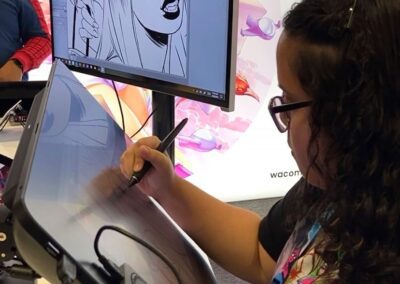
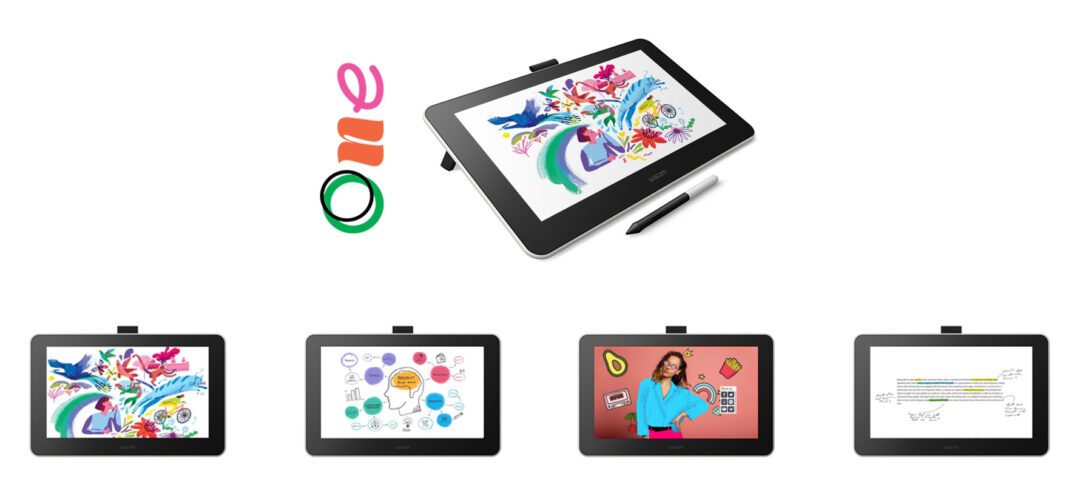
Getting started with the Wacom One Creative Pen Display

Getting started with the Wacom One Creative Pen Display

We continuously strive to provide you the best possible performance designed for the way you create. As each and everyone of you is unique and creates in their very own style, we just recently ...

No results found.
10 digital art mistakes we do while becoming digital artists by Nadia Axel

10 digital art mistakes we do while becoming digital artists by Nadia Axel

Clip Studio Paint EX – deep dive into the software

Clip Studio Paint EX – deep dive into the software

Wacom Flex Arm for Cintiq Pro 24 and 32 review by motion graphic designer Robert Hranitzky

Digital pen Bamboo Fineline 3 artist review by antCGI

Digital pen Bamboo Fineline 3 artist review by antCGI

The basics of drawing SpiderMan by Todd McFarlane

Photo manipulation tutorial and how to set up a Wacom Intuos Pro by Nemanja Sekulic

Tips & Tricks about character and creature design by Mangaka Mikiko and concept artist Sandra Duchiewicz

How to create a spooky Halloween photo in 5 steps by Laura Dajana Kroschewski

How to create a spooky Halloween photo in 5 steps by Laura Dajana Kroschewski

How to make stickers and linestickers in 7 easy steps by StudioAiko

How to make stickers and linestickers in 7 easy steps by StudioAiko

Print It! Back to the real world

How to paint digitally in 5 steps with legend Aaron Blaise and Wacom Intuos

How to paint digitally in 5 steps with legend Aaron Blaise and Wacom Intuos

The blank page: 7 ways to overcome artist’s block

No results found.
[the_ad id="819655"]

You might like

How to create a concept art landscape with painter essentials and Wacom Intuos

The world is your canvas: limitless boundaries and endless possibilities of digital stationary

The world is your canvas: limitless boundaries and endless possibilities of digital stationary

Corel Painter and Wacom tablet best practices

How to create your first illustration in Clip Studio Paint

How to create your first illustration in Clip Studio Paint

How to draw a manga comic, from start to finish, in Clip Studio Paint

How to draw a manga comic, from start to finish, in Clip Studio Paint

How to draw a comic page by Miyuli

How to draw a comic page by Miyuli

Learn the basics of color theory techniques from Mike Azvedo

14 tips to a successful Valentine´s day by Mikiko

No results found.
[dmpro_masonry_gallery images=”816425,819112,816421,814148″ columns=”2″ fix_lazy=”on” _builder_version=”4.27.4″ _module_preset=”default” border_color_all_grid_item=”RGBA(255,255,255,0)” global_colors_info=”{}”][/dmpro_masonry_gallery]

Find the Perfect Wacom Tablet for Your Creativity

Not sure which Wacom tablet is right for you? Our expert guide breaks down the best options for artists, designers, and beginners alike. Whether you are sketching, editing, or illustrating, we will help you find the perfect creative companion. Explore key features, compare models, and choose the best tablet for your workflow. Start creating with confidence and find the right Wacom tablet for your needs today.

Wacom Movink pen display

Wacom's lightest and thinnest pen display ever

Enjoy the freedom of working wherever you feel creatively inspired with Wacom Movink OLED pen display, our lightest and thinnest pen display yet. As thin as 4mm* and weighing just 420g, Wacom Movink pen display is 55% lighter than Wacom One 13 touch and 66% thinner. Connect it to your Mac or PC, and you'll have all the processing power you need for your professional work.

*4mm is measured at the thinnest part.

Buy now >

Follow Wacom on YouTube

Wacom’s YouTube channel is your home for all of Wacom’s video content – tutorials, interviews, process videos, new product releases, product guides, technical support, and more, including recordings of live webinars and events like our annual Connected Ink event.

Check out this enlightening interview with Nobu Ide, Wacom's CEO, at the recent Dokomi 2024 event!

Connect with Wacom on social media

This error message is only visible to WordPress admins
Error: There is no connected business account for the user .