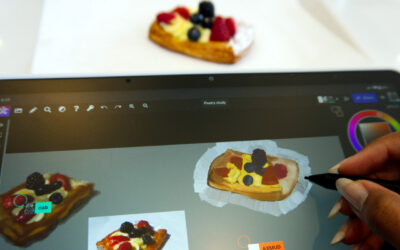


Artists and tech reviewers around the Internet have been loving the new Wacom MovinkPad line. The most common response? "Finally!" They've been wanting Wacom to make an all-in-one portable pen tablet for years! Well, it's here. The Wacom MovinkPad 11 is a more entry-level all-in-one portable pad, intended for beginners, young people, and price-conscious creatives. And the Wacom MovinkPad Pro 14 is for enthusiasts and professionals who need to take their studio on the go.
But don't take our word for it – here are a bunch of recent reviews of the Wacom MovinkPad Pro 14 from across the Internet.
"The MovinkPad Pro 14 is raising the bar on portable digital art." – Aaron Rutten
Aaron Rutten loved the Wacom MovinkPad Pro 14 so much, he called it the "best mobile art tablet ever!" Why? First, he loves the Pro Pen 3 that comes with it – "This pen is much better than the Apple Pencil," he says. "It absolutely blows it away." The pen quality alone, he says, is enough of a reason to switch to the MovinkPad over the iPad.
He also really loved the display itself: "I am stunned by how good this display is," he says. He likes the color depth, that it's OLED with a high contrast ratio so shadows are dark and whites are bright. He also liked that it's a 3K resolution display, which is crisp on a device this size. Also, he's struggled for years to work outdoors because so many tablets suffer from glare or lack of brightness. But the MovinkPad Pro 14 has a very bright screen and Wacom Premium Textured Glass with anti-glare coating. That textured glass means it's pleasurable to draw on. "It's not slippery and difficult to draw on like the iPad," he says.
He liked the specs as well – it can go up to 120Hz refresh rate and the pen report rate is solid. "This is one of the snappiest tablets I've ever drawn on," he says. He appreciated the internal components, with the Snapdragon 8S Gen 3 processor, 12GB of memory, and 256GB of storage with microSD for expansion. He also appreciated that it runs on Android because you can use almost any art software available – like Clip Studio Paint, which is included, and Krita, which he likes.
Overall, how does it compare to its competitors? "The MovinkPad Pro 14 is far superior to the standard iPad," he says, "but lacks some of the premium features of the iPad Pro. It's most comparable to the iPad Air. The MovinkPad has pretty much replaced my iPad Air ... considering you have to buy an Apple Pencil for iPad Air, the price is fairly competitive."
His final verdict? "The MovinkPad Pro 14 is the bets portable tablet I have used ... I really feel like the Movink Pad Pro 14 is raising the bar on portable digital art."
"This solves all my problems ... [it] could legitimately replace my iPad" – Brad Colbow
Brad Colbow typically uses an iPad. For a while, he used a Samsung tablet, but came back to iPad. But after using the new Wacom MovinkPad Pro 14, he might just have found a new "daily driver." In this review, he compares it primarily to Samsung tablets, as they are also Android-based and as such are a natural comparison.
First, the price: $899 is not cheap, but it's right in line with comparable all-in-one tablets. Especially because it has a 120Hz OLED screen. The colors are great, it's very bright, it has Wacom Premium Textured Glass with an anti-glare screen, which gives it traction. The matte screen is also better for drawing, while looking slightly less flashy. He appreciated that it's built for drawing, not for watching streaming video or doing anything else! Another related feature: no camera, and little rubber feet on the back. So there's no camera bump to make it "tippy," and no sliding around on a smooth surface. He also appreciated the specs – the processor, 12GB or memory, and expandable storage via a microSD card slot.
What he really appreciated, though, was the beta feature Instant Pen Display mode. He mentions that it's tricky to set up – it is a beta feature – but works great once it's up and running. He compares it to a popular Android app called Super Display, but argues that it works better! Especially because it works on Mac as well as Windows. Overall, this pushes the device into the "high value" category for him.
Bonus Brad Colbow Review! Wacom MovinkPad Pro 14 vs. iPad Pro
In this comparison video, Brad Colbow gets deep into the weeds comparing tons of specifications and use cases for his top three all-in-one portable drawing tablets: the iPad Pro, the Wacom MovinkPad Pro 14, and the Samsung Galaxy S11. Except, drop the last one – he says it's between the Wacom MovinkPad Pro and the iPad Pro.
He gets into a ton of details, so you should just watch the video if you want that detailed comparison. As a summary, however, he says this: The iPad is very good, has access to tons of software, the Apple Pencil Pro is good – "But if you want to use it as a second screen to draw on, it's probably the weakest of the three." Sidecar just isn't good enough, he says. The Galaxy tab is good, but the weak point is the S Pen – the Pro Pen 3 is just much better. Finally, the Wacom MovinkPad Pro 14. It's not quite as powerful as the others, the screen isn't quite as flashy (though he and many other artists prefer the matte screen for drawing), and it has Pro Pen 3 – and the new beta feature, Instant Pen Display Mode, makes it the clear winner if that's an important feature. It's also much cheaper than an iPad pro, which starts at over $1,400 USD with the Apple Pencil.
"A dream come true" – TheOneWithBear
Sarajean Chung created this quick unboxing / review of the Wacom MovinkPad Pro 14 and loved it. One thing she appreciated: the built-in Wacom Canvas software, with Quick Drawing technology. "Canvas is a well-designed lightweight app that can quick launch by double-tapping with the pen," she explains. "I cannot overstate how big of a game-changing experience this simple action has been for me. Aside from drawing, I've been using it to take notes during meetings and plan to use it in class for project critique instead of marker and post-it notes."
Wacom Canvas also makes it a great digital replacement for a sketchbook – it's lighter, smaller, and more portable. Especially important for someone used to traditional art, she also loved the feeling of drawing on the tablet. "It's still no real pencil on paper, but it's as close as a digital mimic can go at the moment," she says.
"One of the closest feelings you can get to traditional drawing on a digital tablet" – Emma Baginsky
Emma Baginsky, an artist and a working mom, made herself a no-buy challenge for 2025, feeling like she had too many art supplies that she was hoarding instead of using. But the MovinkPad Pro 14 was just too compelling, and she broke her no-buy streak right at the end of the year to pick one up! Why? Previously she used a Surface Book laptop as her main digital art tool, but it doesn't have a matte screen, so drawing on it was "not the best." But the MovinkPad Pro was built for drawing. So is the experience better?
"Reason number one why I bought this tablet ... it has a matte coating on the screen. So when you're drawing with your pen, it just feel so good. It's definitely one of the closest feelings you can get to traditional drawing on a digital tablet." She just enjoyed sketching on it, and also loved that she could use Clip Studio Paint software on the go – which has a "simplify mode" to reduce the UI, which is a great option when you have a smaller, portable drawing tablet like this.
She compares it to her Surface Book, which is a full laptop and is heavy. She still uses the laptop for laptop tasks, but for drawing the MovinkPad Pro 14 is much better. The screen feels good, not "clumsy" like the Surface Book. And it's much lighter and more portable. That means when she's out and about, she doesn't need to bring multiple sketchbooks and/or art supplies – she can just bring the MovinkPad.
Especially as someone who's on the go a lot, out and about with her child, it's perfect. "I just need everything to be convenient, easy, and streamlined in my life right now," she says. And the MovinkPad Pro 14 fits the bill.
Perfect for sketching while out and about – Teoh on Tech
This is something a little different: Teoh on Tech decided to take his Wacom MovinkPad Pro 14 on a sketchwalk at the museum!
"The museum is celebrating its 10th anniversary," he explains."So for my sketch, I will try to capture what's going on here." He posts up in the museum and draws what he sees, along with some friends who are also sketching. The software he uses is Concepts, a sketching and drafting software available on Android. "Sketching digitally allows me to work really fast," he says. This was important because he had other tasks to accomplish that day.
He liked how portable it is: "Even though this tablet is considered big, it's quite thin ... this can be brought around easily outdoors." He also liked the matte glass surface, which was a bit smoother than he expected, but is similar to other pen tablets and displays from Wacom. He mentioned that the Pro Pen 3 comes with a variety of nibs, so you can switch the nib out to something with a bit more grip, like the felt nib. He liked the price as well – it's much cheaper than an iPad Pro.
"If you do buy this tablet or the Wacom MovinkPad 11, I would highly recommend you go try urban sketching with the tablets because they are just so portable, so convenient to bring around," he says. He also recommends joining an urban sketching group so that you can do the same thing he did: "You can always join your local urban sketchers chapter. Uh Urban Sketchers is a big community with many chapters around the world. I'm in Singapore, and the group here is actually quite big."