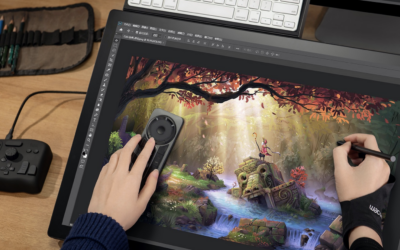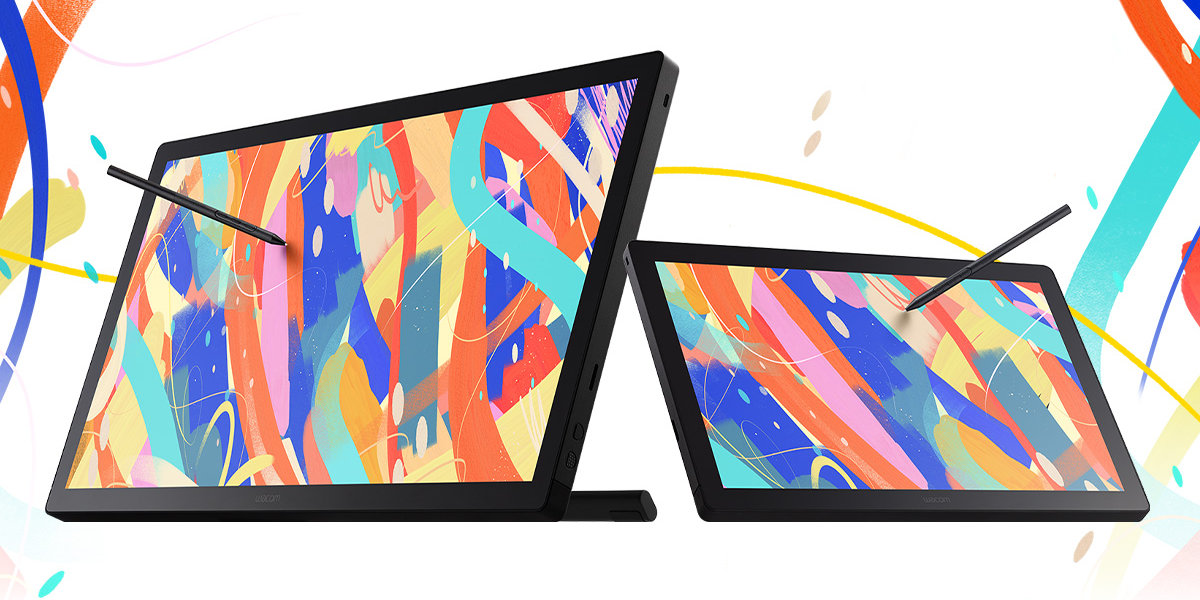
In June 2025, Wacom released the first major update to our flagship line of creative pen displays in many years: the brand-new Wacom Cintiq 16, 24, and 24 Touch. With a slimmer bezel, included stand or built-in feet, and simple connectivity, it takes up less space while offering more ergonomic flexibility. The brilliant and responsive 2.5K high-resolution, bonded glass, anti-glare display offers a natural, paper-like drawing experience. And it comes with the industry-leading Wacom Pro Pen 3 – the same professional-grade precision and flow as our pro-level products.
They've been available for sale for a couple months now, and the reviews have been rolling in. And artists love the new Cintiqs! In this post, we've collected a handful of video reviews of the new Wacom Cintiq line from across the Internet so you can see what the pros think. Here are five Wacom Cintiq drawing tablet reviews, put together for your convenience.
Brad Colbow: The new Wacom Cintiq 16 is a "Goldilocks device" for illustrators
Brad Colbow really liked the Wacom Cintiq Pro 17, released in 2023. Except, he says, it was too expensive! It had really important features for some professionals – like extremely accurate color – but what he really wanted was something in-between the entry-level Wacom One and the high-end Wacom Cintiq Pro. The Wacom Cintiq line fits in-between, but they hadn't been updated in quite a few years. And that's where the new Wacom Cintiqs fit in.
He appreciated the design and connectivity of the device, including the one-cable USB-C setup of the 16" size and the cable management, and the built-in legs on the 16" size. He thought the color looked quite good, and the screen resolution was perfect for this size display. He also loved that it came with Pro Pen 3: "This is one of the best pens, if not the best pen, on the. market today. It's just wonderful."
His overall review? "I wholeheartedly recommend this thing."
Ernesto Sandoval: "An absolute powerhouse"
Ernesto Sandoval is a creative director and graphic designer with the Divine Art Coalition. Like many other artists, Ernesto was initially impressed by the new Wacom Cintiq line's affordability! He also liked:
- The design: it's slim, clean, and sleek, and you can tell it's rugged and built to last.
- The simple connectivity: two USB-C cables (one for display and one for power)
- Pro Pen 3: "This is what sets Wacom apart" – the smooth and responsive feel Wacom is known for
- The size: It's "surprisingly lightweight," compact, and even portable if you want to take it with you!
His overall review? "I've finally found my companion," he says.
Kelly Daley: "Glorious."
Kelly Daley is a concept artist and illustrator in the video game industry. She gave the new Wacom Cintiq 24 a spin to see whether it would meet her professional needs. She also appreciated how affordable it was for such a powerful, large creative pen display.
Here's what else she liked:
- The design: It's slim, sleek, lightweight, and even somewhat portable?
- The stand: The Wacom Cintiq 24 and 24 Touch come with a variable-angle stand, which is extremely easy to manipulate so you can set the device up at a variety of angles to suit your preference
- Pro Pen 3: She loved the pressure sensitivity of the included Pro Pen 3 and the ease of use of the included pen stand – and the fact that the old Wacom Art Pen is compatible with the new Cintiqs! (Note: Wacom Pro Pen 2 and other pens are also compatible, click here for a full list).
- Connectivity: You only need the two included USB-C cables to connect it – one for power and one for data (some older computers may need an HDMI cable setup, sold separately).
- The Display: She liked the 2.5K resolution, 8-bit accurate color, and the feel of the pen on the display. She compared it to her old Wacom Cintiq 24 Pro, which has a 4K display and 10-bit color, but said she couldn't really tell the difference! So the new Cintiqs are good enough for most use cases.
Her verdict? "I absolutely approve of the Wacom Cintiq 24."
Aaron Rutten: "A compelling option for digital artists"
Aaron Rutten's first ever creative pen display was a Wacom Cintiq 24HD from back in 2011! He's used basically every Wacom pen display that's been released since then. So, how does the brand new Wacom Cintiq 24 Touch compare, nearly 15 years later?
He appreciated the design of the new Cintiq line; it's thin and lightweight – but while it has a thinner bezel, meaning more active area with a smaller device footprint, he actually prefers the thicker bezel! More space to rest one's hand, more room so that one's pen doesn't go off of the device with long strokes, and more room for an ExpressKey Remote to fit. The Wacom Cintiq has no built-in ExpressKeys, and is compatible with an ExpressKey Remote – but it would have to sit on one's desk rather than having space to attach directly to the device.
He also appreciated the display, that direct bonding means virtually no parallax, that it and the Pro Pen 3 have better IC chips for excellent pen precision, and especially that the device is fanless, making it nearly silent! This is great for him in particular, as he films content and a noisy device can mess with audio recording.
Finally, he appreciated the on-screen display functionality. First, that the buttons on the side for power and to bring up the on-screen display are textured, so they can be differentiated by touch. Next, that it's simple and easy to adjust the display settings on the fly such as brightness and color modes, either with one's finger or with the pen. That's also how you can turn multi-touch on or off, though he would have appreciated a dedicated button for this.
Though he didn't use it because of his monitor arm setup, he liked the included stand. It was easy to use and adjust but sturdy, and seemed like it would work on any tablet with a VESA mount. Something else he couldn't easily use was the simple USB-C connectivity, because his PC required HDMI input. As he didn't have the HDMI-to-HDMI mini cable, he had to rig together a solution, and doing so made the cable organization on the back a little messy. This wasn't an issue with some of his computers, but it's an important thing to note – if your computer doesn't have DisplayPort Alt mode, getting an HDMI connectivity solution is a little bit more work.
He appreciated the pricing – it's a big jump in price to the Wacom Cintiq Pro line, and with that jump you get a higher-resolution 4K display, a higher refresh rate, and best-in-class color accuracy. In Aaron's opinion, as long as you don't require 100% color accuracy, the new Wacom Cintiq line is a great device
His verdict? "Excellent value at its price point."
Brad Colbow: "This feels like a pro-level product."
Brad Colbow is back, this time with a review of the Cintiq 24 Touch to accompany his review of the Cintiq 16! His review is very similar to his review of the Cintiq 16, which makes sense because the main differences between the two devices are the size and that the 24 Touch has multi-touch.
The price is "reasonable-ish," he says: "It's not the lowest-price thing out there for its size, but ... illustrators who really want that Wacom brand name, who really want a touch screen, who maybe were scared off by the price of the Pro version, they're gonna find this much more palatable."
The price is a big deal, because Wacom makes another pen display of a similar size that also has multi-touch: the Wacom Cintiq Pro 22. What are the differences? First, the price. So what does the higher price tag of the Pro model get you? Primarily, the display; the Cintiq Pro has 4K resolution, a 120hz refresh rate, ExpressKeys built-in and 10-bit, more accurate color. The professional-grade color accuracy is where Colbow believes the major difference lies and why the price difference is what it is. Most people and especially most illustrators, he says, won't need that level of color accuracy – or, he says, 4K and 120hz. But professionals in film and animation studios might!
He likes the stand that comes with the 24" models. He also likes the display, even though at this size 2.5K resolution is a "decent compromise" to keep the price down. He liked the on-screen display like the 16" model, and that even this larger size model is fan-less so it's very quiet. The "star of the show," though was Wacom Pro Pen 3, which comes with the Cintiq!
Overall, he said that the tablet doesn't really have any flaws! There are some things "missing" that you can get in the Pro line, but you would have to pay more, and most people don't need them.
His verdict? "It doesn't have any flaws, really ... it's a really good drawing tablet."
Want to get yourself a Wacom Cintiq drawing tablet or learn more?
Click here to learn more about the new Wacom Cintiq line. Click here to purchase at the Wacom eStore.
They're also available on Amazon, at Best Buy, at B&H Photo, and at other retailers near you!