
If you're learning photo editing in Adobe Photoshop, there's almost no better guide on YouTube than Unmesh Dinda, the host of venerable YouTube channel PiXimperfect. He produces a ton of free Photoshop tutorials on his YouTube channel. Some of them explore the growing number of AI-based tools in Photoshop, but he's committed to showing passionate photo editors how to do all kinds of things manually – both because of the added control and precision that photo editing by hand offers, but also because of how useful it can be for beginners and experts alike to improve their skills.
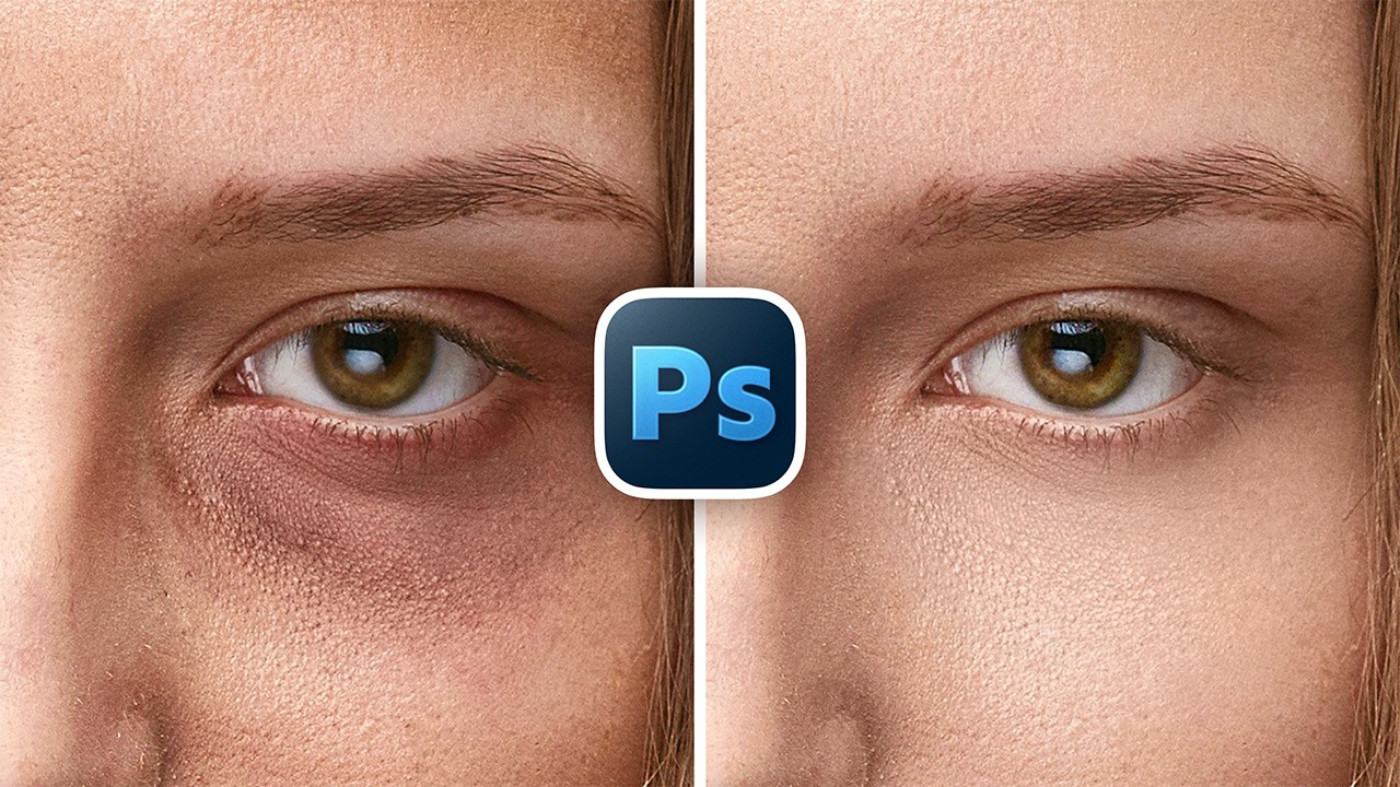
How to remove eye bags in Adobe Photoshop
In this video, Unmesh walks you through his favorite professional method to fix extreme eye bags using a simple technique built on dodge and burn and precise color correction. You’ll learn how to judge luminosity accurately, even out depth and shadows without damaging pores, fix color shifts under the eyes, and extend the same technique to the rest of the face for a clean, natural-looking skin retouch. Whether you’re a photographer, retoucher, or Photoshop user who wants professional-quality skin retouching done the right way, this workflow is designed to fit naturally into your editing process.
If you're looking to really level up your Photoshop skills beyond these free YouTube tutorials, check out PiXimperfect Pro - The Ultimate Photoshop Training Course.
How to learn photo editing
There will be a bunch more lessons in the PiXimperfect absolute beginners' series, but if you're looking for more tips, tricks, and tutorials, check out our Learn Photo Editing page! We have tutorials from Unmesh, Colin Smith of PhotoshopCafé, and more!