
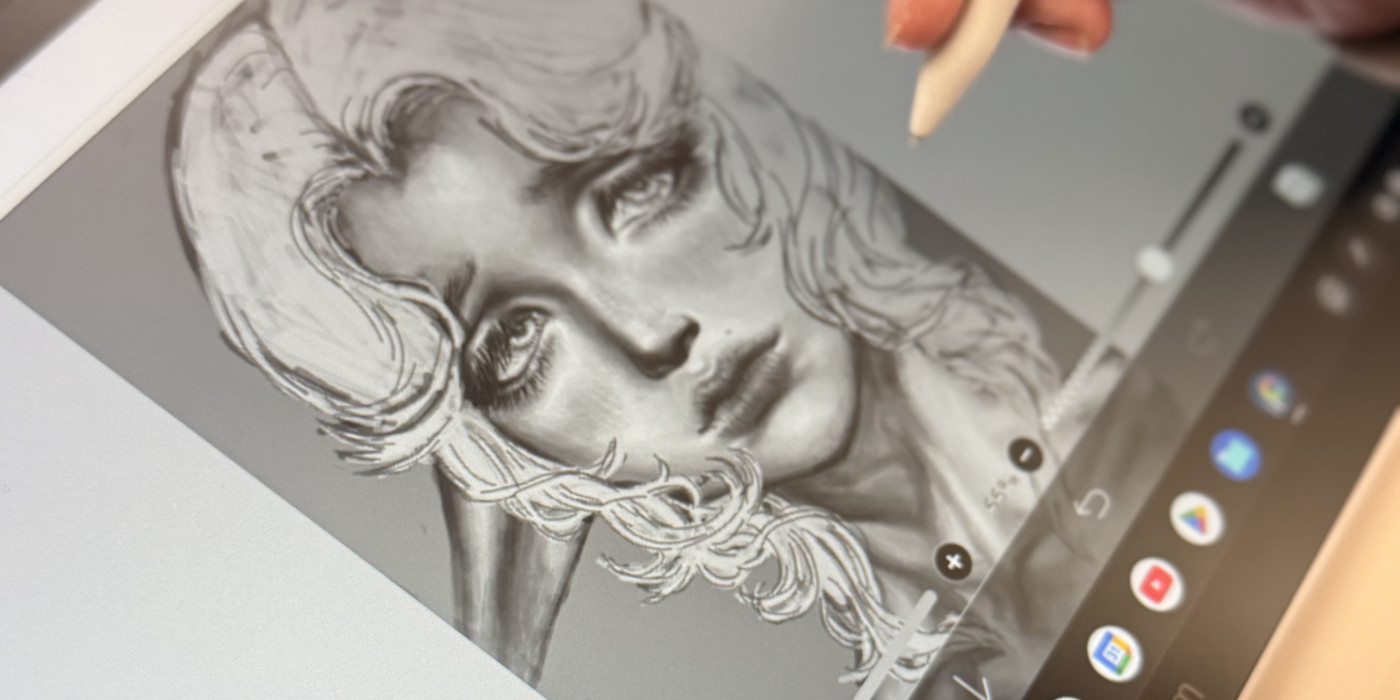
Is ibisPaint the best digital art software out there? Well, some people think so. One of them is Kimberly Barrientos, a high school senior who draws in ibisPaint with a Chromebook and a Wacom One 14 creative pen display.
IbisPaint is digital art software that was originally developed to make it easy for artists to share the process of their work with the world. It's grown to become a simple, lightweight, but full-featured app available for iOS, Android, Windows, and Mac with a ton of features for illustration and manga. The Android and iOS versions are free with ads, while the desktop versions are available as a one-time payment or a subscription. While some people use a mouse or their fingers to draw with it, the best way to use ibisPaint is with a Wacom tablet. Because it can utilize pen pressure and you can be much more precise with a Wacom pen, you can get the best results that way.
For many of artists, young people especially, technology can be expensive. That's why using free art software that can run on a simple setup – like a Chromebook and Wacom's most-affordable, entry-level creative pen display, the Wacom One 14 – is a great option. We talked to Kimberly about what kind of art she likes to make, why she uses Ibis Paint, and more. Check out that interview below. Note: the interview has been edited slightly for length and clarity.

Who are you and what kind of art do you like to make?
I’m Kim, and I like to create character concept art and character design sheets for my original characters. I like to experiment and incorporate anatomy, fun poses, colors, texture, rendering and a lot of details into my drawings.
How long have you been using ibisPaint, and what do you like most about using it?
I’ve been using ibsPaint since I was in middle school, so about seven years! I like how easy it is to use; nothing's too complicated. And almost everything is free if you watch an ad.
How did you learn to use ibisPaint? Did you watch tutorials, learn from friends, or just experiment on your own? Are there any tools or features you use all the time?
When I first started using ibsPaint, I learned by myself mostly just by playing around and trying different art styles that required me to use certain features and brushes. I learned how to use the app and certain features from ibisPaint's YouTube as well. Something I really like is how I can easily fix mistakes using the lasso tool and the special tool that helps you warp the drawing, so I definitely use those two all the time.
What was the hardest thing to learn when you first started? What’s a feature you discovered that changed how you draw?
I think the hardest thing to learn was how to transition from traditional art to digital art. Everything was so different, and there were different features for certain things, and it wasn’t as simple as just picking up an eraser and erasing or choosing any color you have and start coloring.
Some features that I discovered that really changed how I drew are mostly color changing features. Specifically the ones that can be found in the layering tool that offer options such as “darken," "lighten," "contrast," etc.
What is the experience like using Ibis Paint on the Wacom One 14? How was the integration of the Wacom One 14 with your Chromebook?
The experience has been really great! It’s similar to being on my regular tablet, but with a way bigger screen – and having another screen too, to see your drawing from a different perspective, is helpful. And I think I can definitely see every detail way better.
Integrating my Wacom One 14 to my Chromebook was very simple and easy. I just plugged it in to my Chromebook and it started working. I didn’t know I was supposed to mirror the display with my Chromebook in the settings at first, but when I figured it out everything showed up just fine.
What’s the first thing you notice when drawing on this display? Has the Wacom One 14 changed the way you do your art?
The first thing I noticed was how crisp every stroke was, it didn’t look pixelated to me at all! Using the Wacom One 14 has definitely changed the way I draw. Although it's very similar to drawing on my regular tablet, the velvety screen texture and the stylus pen make a huge difference. It's smooth and the pen glides effortlessly across the screen. Being able to see every stroke on a big screen without it being too pixelated allow me to add smaller details and use fine lines, which I love and try to incorporate into my art style . I also like zooming out and seeing my art from my Chromebook screen, it really helps me see my art as a whole and spot anything I feel looks off or want to change or add.
Did you know?
While Kimberly uses ibisPaint on her Wacom One 14 with her Chromebook, ibisPaint comes actually pre-installed on Wacom MovinkPad devices, and comes with a free 180-day trial of ibisPaint X Prime! Check out this video for more information and an example of how ibisPaint can be used with Wacom devices:
Do you use art in your schoolwork or projects? If so, why?
I’ve always been the art kid, so whenever we had any projects that required timelines, graphs, visual examples, or anything like that – it didn’t really matter exactly what – I’d always offer to do it. Even on assignments and notes that didn’t require drawing, I’d do lots of word art, like bubble words and different word fonts with lots of colors and designs. I definitely feel more motivated to do assignments when I’m allowed to create visually. I always doodle in class, so having an opportunity to draw for a grade is always fun.
Do you think more classes should include visual or creative options for assignments? Why?
Allowing students to be more visually creative in class can help with improving memory retention, strengthening critical thinking, and promoting deeper engagement with complex content. It will also help reach kids who are more visual learners or hands on. So I do believe classes should include more visually creative assignments.
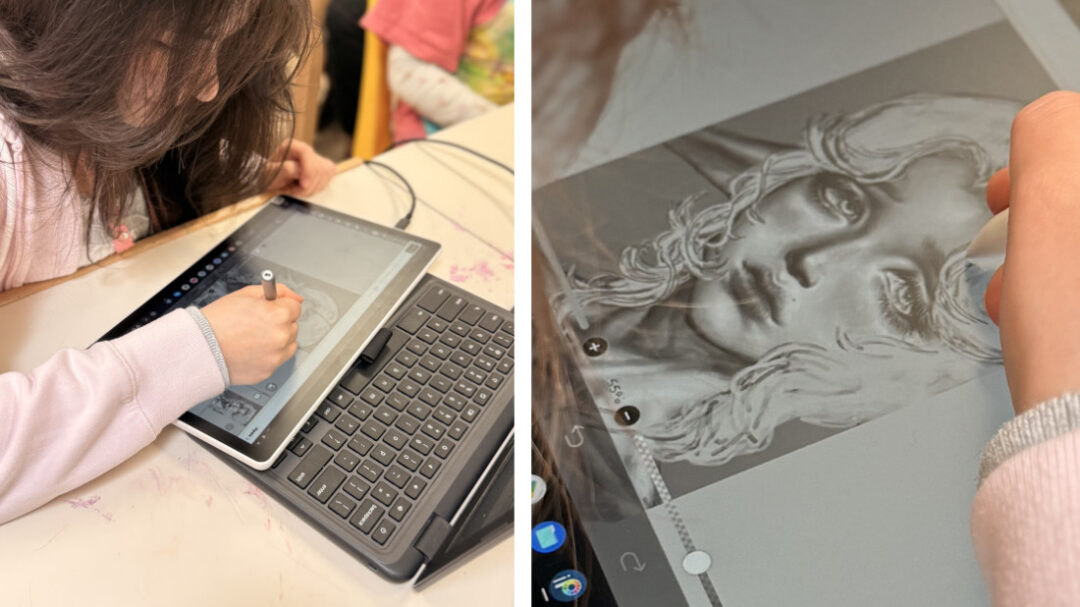
How else do you think you could use the Wacom One 14 with your schoolwork? For example in a class like science, history, or English? Would having a setup like this in school help you as a student?
Sometimes I catch myself using my Wacom to open my email and grades, just clicking through the apps. So I guess one way I can use my Wacom for school work is to take notes and switch between apps but with a pen. I think about it as a school tablet!
In non-art classes I can still draw, like medical diagrams, historic time lines, medical symbols, historical symbols, maybe even a simplified drawing of a cell, organism, or body system. Drawing is something I’ve been using to help in class. Being able to do it digitally will make things so much easier and simple.
If I had this set up at school it would help me read, write, and learn more efficiently. I’d be able to use the stylus to write how I normally write, but being able to save the notes on my computer like a Google Doc would mean no lost notes or worksheets! I think it would also help with reading, allowing me to annotate documents.
What advice would you give to other students who want to start digital art?
Some advice I’d give students who want to learn digital art is to not focus too much on the technological or software of it. You don’t need a crazy expensive tablet or to pay for an art app – just continue to learn how to draw! Understand how to develop stronger foundational art skills, such as lighting, structure and many other artistic elements.