
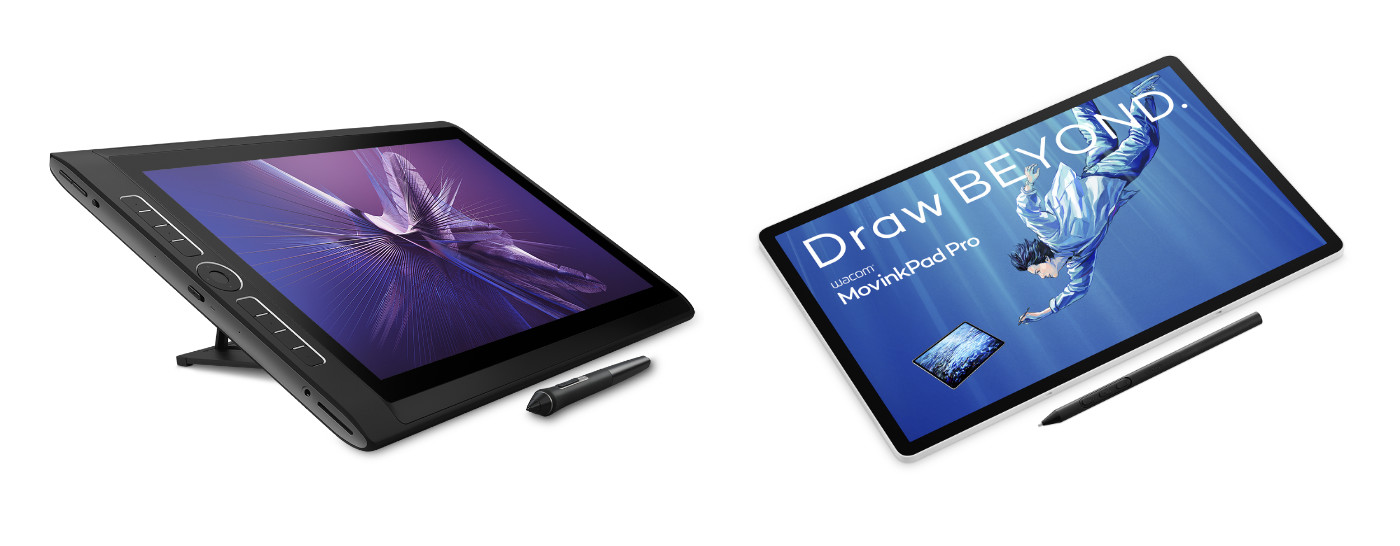
When Wacom announced the Wacom MovinkPad 11 and Wacom MovinkPad Pro 14 all-in-one portable drawing pads in 2025, a common question from Wacom customers and fans was: "Is the MovinkPad Pro the new MobileStudio Pro?" It's true that both MovinkPad and MobileStudio Pro are all-in-one portable creative pen displays that don’t require connectivity to a computer in order to function, but there are a number of important differences between the them! In this article, I’ll lay out everything you need to know.
What was the Wacom MobileStudio Pro?
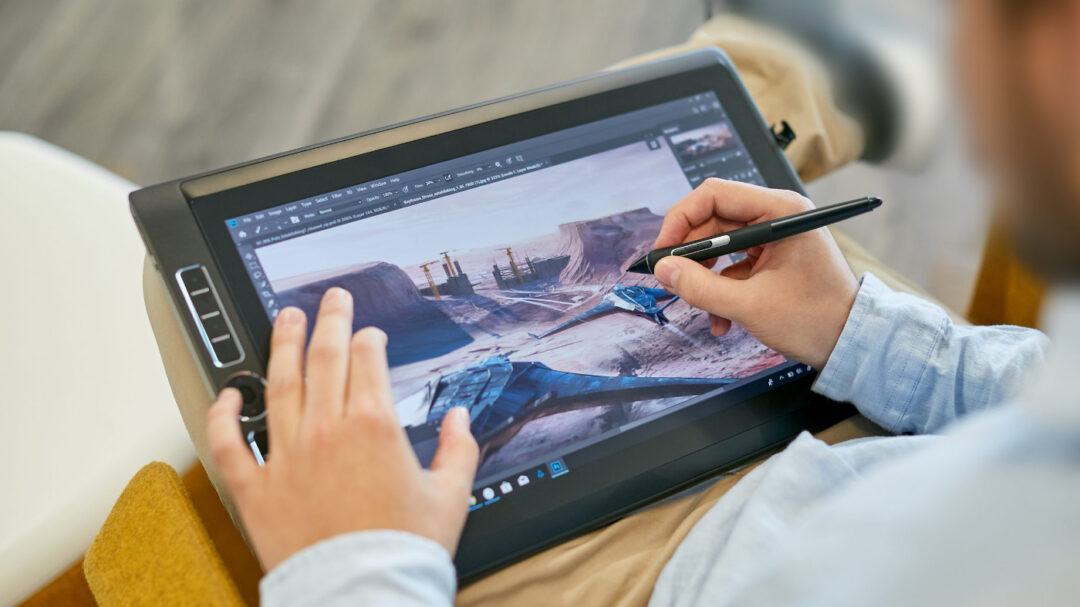
If you’re a young person or new to Wacom, you might not even be aware of the Wacom MobileStudio Pro! Produced from 2012-2019, MobileStudio Pro was a standalone portable pen display that could run full desktop Windows software. It was essentially a high-end laptop computer, but with a touch- and pen-sensitive Wacom display, in a “slate” configuration – no folding!
Over its life, it came in a variety of sizes and models, with a variety of different specifications. But its intention was to be a professional level, full-featured mobile pen display computer so that professional artists, designers, and creators could bring their studio setup wherever they went. It was very powerful – but also very large, very heavy, and – according to some – very expensive.
The latest version of MobileStudio Pro was released in 2019. Because it was the last model released, with the most modern specifications and features, I will use it for purposes of comparison for the rest of this article.

What is Wacom MovinkPad?
The Wacom MovinkPad 11 and MovinkPad Pro 14 are Android-based portable drawing pads released in 2025. Like MobileStudio Pro, they are all-in-one devices that do not have to be connected to a computer to function. Unlike MobileStudio Pro, Wacom MovinkPads run on the Android operating system, meaning they can run mobile versions of many creative software applications, including pre-installed Wacom software such as Wacom Canvas and other drawing apps like Clip Studio Paint and IbisPaint. They are extremely thin and light, and are considered by many to be very affordable.
Wacom MovinkPad 11 is an entry-level portable drawing pad, while both MovinkPad Pro 14 and MobileStudio Pro were intended for more advanced users – so for the rest of this article, I will focus on MovinkPad Pro 14 for the purposes of comparison.

Why did Wacom make the MovinkPad instead of another MobileStudio Pro?
Over the last 10 years, mobile software capabilities have improved by leaps and bounds, leading many software manufacturers to produce Android-compatible versions of their software. Wacom created an Android version of the MobileStudio Pro years ago called the Cintiq Companion Hybrid, but it wasn’t as successful partially because the Android software environment wasn’t as robust as it is now.
At the same time, computer technology improves so rapidly that many Windows-based PCs become outdated very quickly. With current technology, however, a mobile-first device doesn't suffer as much from this issue from both a hardware and a software perspective.
Finally, the progress made by Wacom in its manufacturing meant that creating a truly thin, light, and robust portable display tablet was finally possible at an affordable price point.
All of this together led Wacom to create the Wacom MovinkPad line: a high-end yet affordable portable display tablet line based on the flexible, robust Android operating system.
What are the most important differences between MovinkPad and MobileStudio Pro?
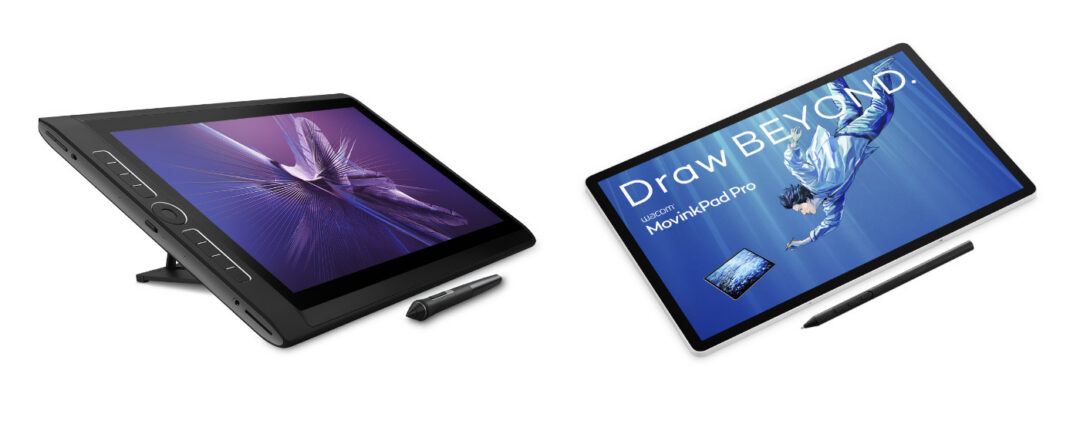
The table below highlights the primary differences between MobileStudio Pro and MovinkPad Pro 14:
| MobileStudio Pro 16 (2019) | MovinkPad Pro 14 (2025) | |
| Operating system | Windows | Android |
| Software | Windows desktop software | Google Play mobile software |
| Size | 16” | 14” |
| Display type | LED | OLED |
| Display active area | 13.6” x 7.6” | 11.9” x 7.4” |
| Display resolution | 4K (3840 x 2160) | 3K (2880 x 1800) |
| Display glass | Anti-glare textured glass | Premium Textured Glass (anti-glare, anti-fingerprint, anti-reflection) |
| Color depth | 8bit | 10bit |
| Color coverage | 85% Adobe RGB | 100% SRGB, 100% DCI-P3 |
| Display contrast ratio | 850:1 | 100,000:1 |
| Brightness | 250-310 cd/m2 | 400-900 cd/m2 |
| Weight | 4.7lbs | 1.6lbs |
| Thickness | 21mm | 6mm |
| Included software | Bamboo Paper, Artec 3D | Wacom Canvas, Wacom Shelf, Clip Studio Paint, ibisPaint, ArtWod, Magma, Wacom Lab, and more |
| Pen display mode | Included | Beta feature w/ Wacom Lab |
| Included stylus | Pro Pen 2 | Pro Pen 3 |
| Included memory / storage | 8GB memory / 512GB storage | 12GB memory / 256GB storage |
| Upgradable? | Upgradable memory & SSD storage w/ “Backdoor” feature | MicroSD slot for upgradable storage |
| SRP at launch | $3,499.95 | $899.95 |
The most significant difference for most users is the operating system: MobileStudio Pro was a Windows-based computer, and MovinkPad Pro 14 is an Android-based mobile device. While the MobileStudio Pro could run full desktop Windows software, MovinkPad can run any application available in the Google Play store.
Another major difference is the size, weight, and form factor: MovinkPad Pro 14 is much slimmer, lighter, and more portable than MobileStudio Pro was. It has a thinner bezel, so even though the 14” MovinkPad Pro is quite a bit smaller overall, the active area of screen size is nearly as large as that on the 16” MobileStudio Pro.
In terms of technical specifications, MobileStudio Pro was a very high-end device for its time. It had a 4K display, and the MovinkPad Pro 14 has a 3K display – but in every other sense the MovinkPad Pro is an upgrade. It has an OLED display, for deeper blacks, a higher contrast ratio, more color depth, and has a much wider range of color accuracy. All of this is true even though the MovinkPad Pro 14 weighs much less and is much thinner.
A final difference is that the MobileStudio Pro was intended for professionals who needed an all-in-one portable studio setup. It had the highest-end components and could be used as a primary, start-to-finish device on which professionals could complete studio-quality work.
While MovinkPad Pro 14 uses the top-of-the-line Wacom Pro Pen 3, has a high-resolution screen and a fast processor, and can use a host of great Android versions of creative software applications, it isn’t quite as capable as a dedicated high-end pen display like Wacom Cintiq Pro. This is reflected in the price – the MovinkPad Pro 14 at launch retails for approximately one-quarter of the price that the MobileStudio Pro did in 2019.

The final word: should I upgrade from MobileStudio Pro?
If you’re a current MobileStudio Pro user looking for a modern upgrade, the MovinkPad Pro 14 might be a good fit for you, especially if your preferred software is available on Android.
If your preferred software is not available on Android, however, or you’re a professional who needs top-of-the-line performance for extremely large canvases or 3D work, then harnessing the power of your computer is likely necessary. A Wacom Cintiq or Cintiq Pro are great pen display options if portability isn’t a major need.
The best way to streamline your setup for portability, though, while getting the highest performance, is with the Wacom Movink 13 pen display. It has a Full HD, OLED display, comes with Wacom Pro Pen 3, is extremely thin and light, and connects to most laptop computers with only a single USB-C cable.
Frequently Asked Questions
Is the MovinkPad Pro the new MobileStudio Pro?
Both MovinkPad and MobileStudio Pro are all-in-one portable creative pen displays that don’t require connectivity to a computer in order to function, but there are a number of important differences between the them!
What was the Wacom MobileStudio Pro?
Produced from 2012-2019, MobileStudio Pro was a standalone portable pen display that could run full desktop Windows software. It was essentially a high-end laptop computer, but with a touch- and pen-sensitive Wacom display. Over its life, it came in a variety of sizes and models, with a variety of different specifications. It was very powerful – but also very large, very heavy, and, according to some, very expensive.
What is Wacom MovinkPad?
The Wacom MovinkPad 11 and MovinkPad Pro 14 are Android-based portable drawing pads released in 2025. Unlike MobileStudio Pro, Wacom MovinkPads run on the Android operating system, meaning they can run mobile versions of many creative software applications, including pre-installed Wacom software such as Wacom Canvas and other drawing apps like Clip Studio Paint and IbisPaint. They are extremely thin and light, and are considered by many to be very affordable.
Why did Wacom make the MovinkPad instead of another MobileStudio Pro?
Computer technology improves so rapidly that many Windows-based PCs become outdated very quickly. With current technology, however, a mobile-first device doesn't suffer as much from this issue from both a hardware and a software perspective. Over the last 10 years, mobile software capabilities have improved by leaps and bounds, leading many software manufacturers to produce Android-compatible versions of their software.
This, combined with the progress made by Wacom in its manufacturing over recent years, meant that creating a truly thin, light, and robust portable display tablet was finally possible at an affordable price point. All of this together led Wacom to create the Wacom MovinkPad line: a high-end yet affordable portable display tablet line based on the flexible, robust Android operating system.
What is the difference between Wacom Movink and Wacom MovinkPad?
Wacom Movink 13 is a thin, light creative pen display tablet from Wacom, but like Wacom Cintiq or Wacom One, it still needs to be tethered to your computer in order to function. It does not have an onboard operating system. It is better for professionals who want to use their desktop software, but still want a thin, light device that can go anywhere their laptop can go. Wacom MovinkPad 11 and MovinkPad Pro 14 run on the Android operating system, run Android software, and do not need to be tethered to a computer to be used.
What are the most important differences between MovinkPad and MobileStudio Pro?
The most significant difference for most users is the operating system: MobileStudio Pro was a Windows-based computer, and MovinkPad Pro 14 is an Android-based mobile device. While the MobileStudio Pro could run full desktop Windows software, MovinkPad can run any application available in the Google Play store.
Another major difference is the size, weight, and form factor: MovinkPad Pro 14 is much slimmer, lighter, and more portable than MobileStudio Pro was. It has a thinner bezel, so even though the 14” MovinkPad Pro is quite a bit smaller overall, the active area of screen size is nearly as large as that on the 16” MobileStudio Pro.
In terms of technical specifications, MobileStudio Pro was a very high-end device for its time. It had a 4K display, and the MovinkPad Pro 14 has a 3K display – but in every other sense the MovinkPad Pro is an upgrade. It has an OLED display, for deeper blacks, a higher contrast ratio, more color depth, and has a much wider range of color accuracy. All of this is true even though the MovinkPad Pro 14 weighs much less and is much thinner.
Finally, the last time it was released, Wacom MobileStudio Pro retailed for $3,499 USD, while Wacom MovinkPad Pro retails for much less at $899 USD.