

If you're shopping for a drawing tablet, whether a Wacom device or a drawing tablet by any other brand, one specification you'll often see is pressure sensitivity.
But what does pressure sensitivity actually mean, and how important is it? Can the everyday artist tell the difference between 2,048 levels and 8,192 levels of sensitivity, or is that only relevant for professionals? Or, is this all just a marketing gimmick? In this article, I'll answer all of these questions.
What is pressure sensitivity?
Wacom is dedicated to art and artists, so their ultimate goal is for the digital art experience to mirror the traditional art experience as closely as possible. When you use a paintbrush, for example, you can move the tip of the brush extremely lightly across your canvas and make a tiny, light stroke. Or you can push it into the canvas with more pressure, creating a great blob of paint and a thick, dark stroke.
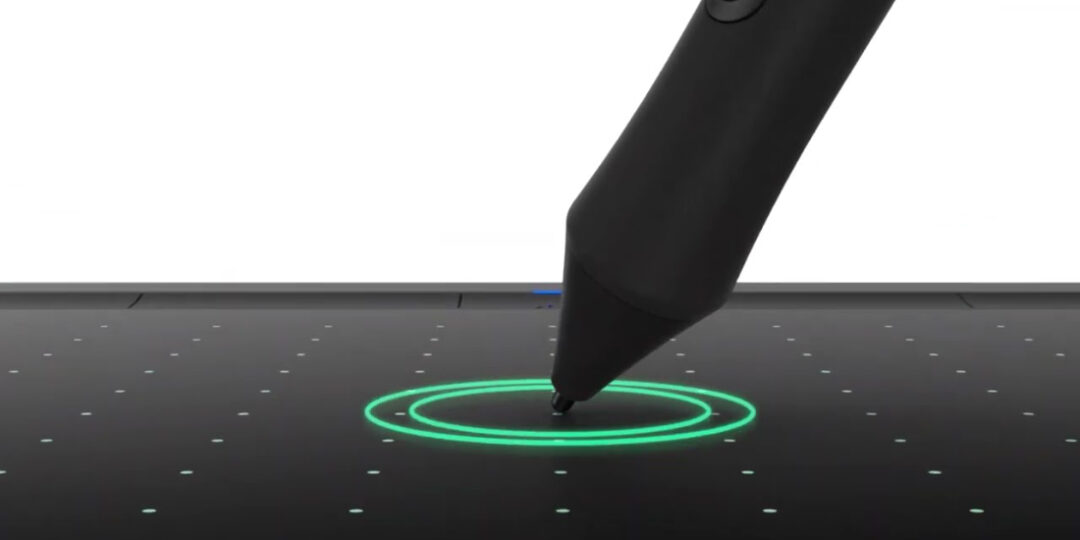
The amount of pressure you use to push your paintbrush – or your pen, pencil, or whatever other art tool you're using – against your canvas affects the size, shape, and opacity of the marks you make. A digital stylus uses pressure sensitivity to mimic this traditional art experience.
So, when you press your digital pen harder against the surface of your drawing tablet, you will create a darker, thicker digital stroke, and vice versa. Exactly how this ends up working in practice depends on a variety of factors, such as the software you're using, which digital brush, and the settings you've selected both in your software and with your device's drivers. So that's the general idea, but a question remains: what do "levels" of pressure sensitivity mean, and how much do they matter?
What does 2,048 vs. 4,096 vs. 8,192 levels of pressure sensitivity actually mean?
Your pen and drawing tablet can register how hard you're pressing down. For every device, there's a set range:
- 0%: No pressure at all
- 100%: Maximum amount of pressure
The "levels" of pressure sensitivity refers to how many individual steps the device and stylus can register between 0% and 100% pressure. More levels of sensitivity means that smaller and smaller changes in the amount of pressure you're using will be registered by the device.

Does the number of pressure levels really matter?
The short answer to this question is: yes! The long answer is: it depends on who you are, what you're trying to do, what you're used to, and a variety of other factors. There are also a number of other factors that make pressure more or less important, as we'll see below.
There's only so much difference between lightly placing a digital stylus on a solid, firm drawing tablet or display, and pressing it down with maximum pressure. So the truth is that for most people, it's very difficult to tell the difference between, for example, 4,096 levels of pressure and 8,192 levels. It's kind of like trying to tell the difference between ultra-HD resolution televisions: unless you're looking at a truly massive TV, anything above 4K resolution looks the same to nearly everyone except maybe professional filmmakers – especially if you're just streaming Netflix.
For experienced digital artists and professional creatives, however, and for artists who come from a traditional art background, the difference can matter greatly. Artists who focus on tiny details in their work, who have an extremely light touch or who utilize tilt, long strokes, intricately crafted digital brushes, or who have incredibly precise hand control often do benefit from more levels of pressure sensitivity. That being said, once you get to over 8,000 levels, you'll experience diminishing returns. Most artists won't claim they can tell the difference between 8,192 and the 16,384 levels of pressure.
What other factors are important when it comes to pen pressure?
One major factor that's important is the depth, size, and resolution of the digital canvas and display you're using. If you're working on a small digital canvas – 800 x 600 pixels, for example – pen pressure can only make so much difference. A 10 pixel-wide square brush can only go from filling 0 pixels, with no pressure, to a maximum of 100 pixels with full pressure. Even 2,048 levels of pressure is almost overkill at that size. On a small drawing tablet, there just aren't enough pixels available to utilize thousands of levels of pen pressure, and the display likely couldn't showcase them even if you could.
Professionals working on massive digital canvases, however, and on ultra high-resolution displays capable of displaying millions of pixels, can take advantage of thousands of pressure levels. That's why you'll typically see higher pressure level capabilities on Pro level products, like Wacom's Pro Pen 3. Even then, however, over 8,000 levels of pressure is reaching the human limit of what's able to be utilized, and is likely as close to mirroring the traditional art experience as digital technology can get.

Pen and device technology beyond pressure also matters. The hardware within the pens and tablets themselves, and the software drivers they utilize, matter. The onboard IC chip within both the pen and tablet affect things like accuracy, the smoothness of transition between pressure levels, and the report rate – how frequently the device checks the movement and pressure level of the pen. These are all important; a pen might have 16,000 levels of pressure sensitivity, but if the hardware isn't advanced enough to quickly and accurately report when the artist changes pressure, those extra levels of pressure sensitivity won't register.
Another important factor is called "activation force" – how much pressure you need to use in order for the input to be registered. With traditional media, it's often essentially zero – the lightest possible touch of the pencil, pen, or paintbrush will begin depositing ink, graphite, or paint onto one's canvas. High-end digital pens like Wacom's Pro Pen 3 have near-zero activation force; it's as close to the traditional experience as possible.
The software driver also matters. Being able to adjust and customize one's experience, including pressure curves, the activation force and click point, and all other relevant settings is crucial, and is one of the benefits that digital workflows have over traditional ones. A heavy-handed artist, for example, might struggle with traditional painting that requires a light touch. But digitally, one can adjust settings to adapt the technology to fit their unique needs.

Final answer: how many levels of pressure sensitivity do I really need?
If you're a beginner, any Wacom pen and tablet will have plenty of pressure sensitivity for you to create your best work. To simply get started, a Wacom Intuos or Wacom One 14 are great, affordable options! They come with the Wacom 4K or Wacom One pens, which have 4,096 levels of pressure sensitivity.
If you're an art student, a hobbyist, freelancer, or a professional artist, then you probably want a Wacom device compatible with Wacom Pro Pen 3, which has 8,192 levels of pressure sensitivity, as well as an onboard IC chip that provides an excellent report rate and activation force. Again, the tablet matters – Wacom's Pro lines, like Intuos Pro and Cintiq Pro have the most accurate, dynamic pressure experience, and for the Cintiq Pro, the 4K resolution display, especially on the larger devices, means you can take advantage of all 8,192 levels of pressure sensitivity. That being said, the 2025 Cintiq and Wacom MovinkPads are also compatible with Pro Pen 3.
The choice is, of course, up to you! But hopefully this guide has helped you understand what pen pressure means, why it matters, and which digital art products are right for you.
Frequently Asked Questions
What is pressure sensitivity on a digital drawing tablet?
When you press your digital pen harder against the surface of your drawing tablet, you will create a darker, thicker digital stroke, and vice versa. "Pressure sensitivity" refers to how sensitive your digital stylus and drawing tablet are to changes in how hard you press the stylus against the tablet. More "levels" of sensitivity means the device registers the difference in pressure more accurately.
Does the number of pressure levels really matter?
The short answer to this question is: yes! The long answer is: it depends on who you are, what you're trying to do, what you're used to, and a variety of other factors. Most beginners can't tell the difference between 4,000 and 8,000 levels of pressure sensitivity. Professionals, however, who work on large canvases with intricate detail, might want to take advantage of increased sensitivity.
What other factors are important when it comes to pen pressure?
Levels of pressure sensitivity is one important specification, but the size and resolution of both an artist's digital canvas and the tablet they're working on matter. Report rate, activation force, and software drivers can also matter a great deal.
How many levels of pressure sensitivity do I really need?
If you're a beginner, any Wacom pen and tablet will have plenty of pressure sensitivity for you to create your best work. If you're an art student, a hobbyist, freelancer, or a professional artist, then you might want a Wacom device compatible with Wacom Pro Pen 3, which has 8,192 levels of pressure sensitivity, as well as an onboard IC chip that provides an excellent report rate and activation force. Using a Wacom tablet with a larger screen or active area will also help you take advantage of high pressure sensitivity levels.