

Here's a problem we kept hearing from creative studios: "We need more rendering power, but our artists are on Macs, and half of them work remotely now."
Fair point. A MacBook Air is great for coffee shops. Not so great for running Houdini simulations or training AI models.
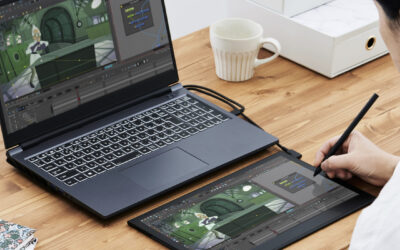
The obvious answer is cloud workstations. Spin up a beefy Windows machine on AWS with a serious GPU, connect remotely, done. Except… if you've ever tried to use a Wacom tablet over a remote desktop connection, you know the pain. That slight delay between your pen stroke and the line appearing on screen? It's maddening. It breaks the whole flow.
We run Remāngu, a platform that orchestrates cloud workstations for creative and technical teams. And honestly, the tablet latency issue was one of our biggest headaches until Wacom Bridge.
What Actually Changed
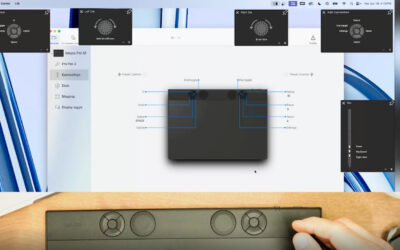
Wacom Bridge is a piece of technology that makes your local Wacom tablet behave as if it's physically connected to the remote machine. Not "almost like" – actually like. The pen data gets transmitted separately from the video stream, which cuts out most of the lag.
There's also this feature called Inkline that draws a temporary local line the moment your pen touches the surface. Your brain sees immediate feedback, while the actual stroke catches up milliseconds later. Sounds like a hack, but it works surprisingly well.
We integrated this into our Remāngu workstations running on AWS. The setup takes about two minutes. You log into your Remāngu workstation, Wacom Bridge activates automatically through Amazon DCV, and that's it. Your Cintiq or Intuos Pro works exactly as it would on a local machine.
Why This Matters for Creative Teams
For VFX artists: You can run Houdini on a cloud workstation with 80GB GPU VRAM while sitting at home with your MacBook and Wacom tablet. Your studio doesn't need to ship you expensive hardware. You don't need to be in the office.
For game artists: Substance Painter, ZBrush, Blender – all of these benefit from GPU acceleration. Running them on cloud workstations means your local machine doesn't matter anymore. A three-year-old laptop becomes a thin client to a workstation that would cost $8,000 to buy.
For AI/ML workflows: ComfyUI, Stable Diffusion, custom training pipelines. These eat GPUs for breakfast. With cloud workstations, you scale up when you need power and scale down when you don't. No more rendering overnight because your local machine can't handle the load.
For Mac users specifically: A lot of professional creative software either runs better on Windows or is Windows-only. Cloud workstations let you run those Windows apps from your Mac without dual-booting, without Parallels, without compromise.
The Boring (But Important) Stuff
Studios like cloud workstations for reasons beyond raw performance:
- Security: Project files never leave the cloud. Artists can work from anywhere without carrying sensitive assets on their laptops.
- Maintenance: IT updates one golden image instead of fifty individual machines.
- Scalability: Need ten more workstations for a project crunch? Done in an hour. Project ends? Scale back down.
- Cost: Pay for compute when you use it. No hardware depreciation.
The tablet latency problem was the last real blocker for many creative workflows going remote. Wacom Bridge removes it.
See It In Action
We put together a short demo showing the whole flow, from login to drawing lag-free in under a minute:
Try It Yourself
If you want to test this setup, Remāngu offers cloud workstations with Wacom Bridge pre-configured. Use code UNREAL100 at signup for a free trial – just click here. Works with Wacom Cintiq Pro, Intuos Pro, Movink 13, and most other professional Wacom devices. Both Windows and Mac clients supported.
Remāngu is a cloud workstation platform built for creative and technical teams. We handle the infrastructure so you can focus on the work.