The options for what software you should use for your digital drawing or painting practice are many. The most famous and popular is Adobe Photoshop, along with the rest of the Adobe Creative Suite. But there are also plenty of other accessible and powerful apps, such as SketchBook, Corel Painter, ArtRage, Rebelle, the Affinity Suite, and Clip Studio Paint, among others. These software programs are work best with a Wacom pen tablet or display and use of our pressure-sensitive, battery-free pens. Which software program is best for you depends on your budget, your computer, what's best for your creative practice, and personal preference.
Some of the software programs that work with Wacom tablets:

Adobe is the industry standard software for photographers, designers, and other creatives – and many of the Adobe Suite’s features were designed with pressure-sensitive pen tablets and displays in mind. Wacom’s creative pen tablets and pen displays natively support Adobe Photoshop, Adobe Lightroom, Adobe Illustrator, and the full suite of creative Adobe products.
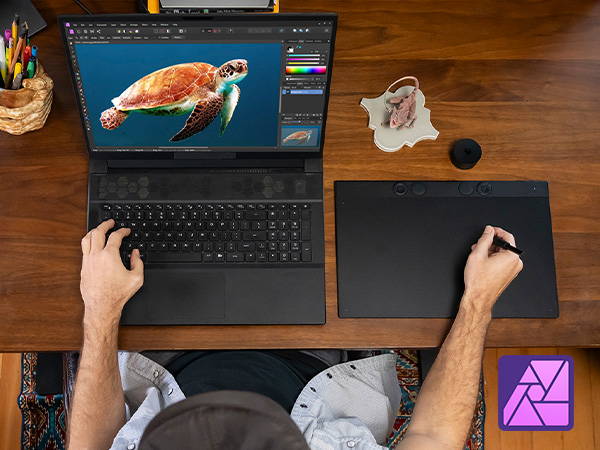
The Affinity Suite is a full-featured alternative to the Adobe Suite. Affinity Photo is an award-winning image editing software, whether you’re retouching photos or creating full-blown multi-layered compositions. Affinity Publisher has everything you need to create high-quality, eye- catching layouts for digital or print publication. And Affinity Designer is vector graphics software perfect for creating high-quality concept art, illustrations, architectural renders, logos, UI designs, and more.

The Boris FX Suite allows for Hollywood-grade video post-production and photo edits – from adjusting color levels to adding lightning to a scene. Boris FX video products are a combination of standalone applications and plugins for tools like Adobe Premiere Pro, Adobe After Effects, and Avid Media Composer.
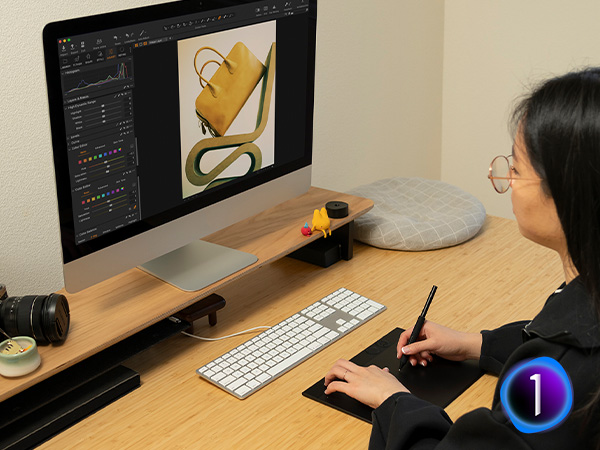
Capture One is a powerhouse in the realm of photo editing, renowned for its exceptional capabilities in tethered shooting, RAW image processing, color grading, and workflow management. When using Capture One with Wacom’s industry-leading pen tablets and displays, photographers can elevate their post-processing workflow with enhanced efficiency and seamless operation.

Corel Painter, Corel Painter Essentials, or Corel Aftershot Pro are perfect for creating your next great piece of digital art. Corel products are optimized for Wacom pens, enabling artists of all levels to experience an unforgettable painting experience with full pressure sensitivity and the highest level of precision.

Clip Studio Paint is the industry standard software for manga and comic creators. Whether you’re team tablet or team display, any Wacom product will provide the perfect canvas for Clip Studio Paint, a premium application for creating comics, manga, anime, animation, and more.
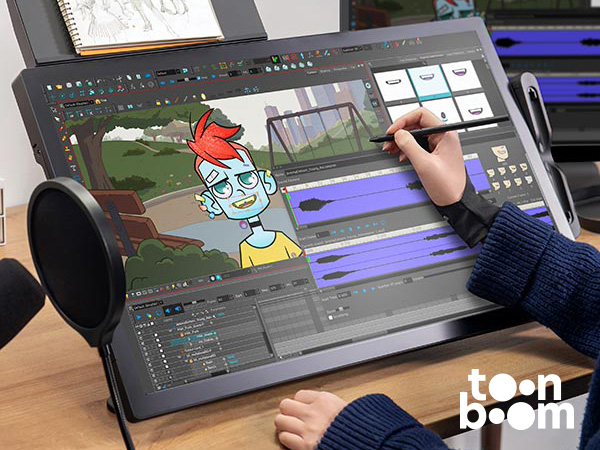
Toonboom Storyboard Pro is an all-in-one storyboard solution combining drawing, scripting, camera controls, animatic creation capabilities, and sound, and it seamlessly integrates with Harmony.
Toonboom Harmony is an all-in-one, end to end 2D animation software that allows animators to create cut-out and paperless animation in every style.
How do the programs work with Wacom tablets and displays?
The pen tablet simply plugs into a computer USB port. When you move the pen tip across the tablet, it recognizes the pressure sensitivity of your stroke, which you will see on screen in terms of line width and opacity.
Wacom works closely with its software partners to integrate pen recognition and pressure sensitivity into their applications, optimizing brush controls, and bringing out features in the software you’ll never see without our pen tablets plugged in.
Is there is a learning curve?
Although working with a pen on a tablet while you’re looking at the screen can feel a bit unfamiliar at first, it’s easy to adapt in a day or two of regular use. After a week or less of consistent use, working on a Wacom pen tablet will be second nature. Not better or worse than traditional methods, simply a great new option that allows you to get started quickly with no set-up and no clean-up required and with an unlimited number of options to capture your creative interests.
Is any software included with purchase of a Wacom device?
Yes! Every purchase of a Wacom device comes with a bundle of creative software. To learn more about all of the software included with purchase, click here.