One of the most exciting and rewarding ways to engage with digital art is drawing collaboratively. Wacom is so excited to partner with Magma, the best online service for collaborative art. We've even bundled a free three-month trial of Magma Blaze with a bunch of Wacom drawing tablets: the One by Wacom, Wacom Intuos, Wacom One, Wacom Movink 13, and Wacom MovinkPads!
If you want to get started with collaborative drawing in Magma, artist Sad_Banana_ has you covered. They wrote this comprehensive tutorial for getting started with two of the primary Magma use cases: Art Jams and Shared Canvases. Their tutorial focused on the Wacom MovinkPad 11 experience, and they also wrote the following testimonial about why MovinkPad 11 and Magma make a perfect pair! Note: the content of guest blog posts does not necessarily reflect the opinions of Wacom.
My day to day job requires me to be glued to a desk, so I find it incredibly refreshing to pick a nice spot anywhere away from my workspace to draw and decompress – no wires attached!
The overall drawing feel with the MovinkPad 11 is satisfying and natural. The Pro Pen 3 feels very sleek, comfortable and responsive to use. The thin barrel is reminiscent of a traditional pencil, and is not fatiguing to draw with for long periods of time. The screen size is also in a sweet spot for being very portable, yet having plenty of screen space that doesn’t feel too cramped when drawing.
The anti-glare and anti-fingerprint direct bonded glass also allows me to see my drawings with minimal intruding ambient glare and barely any color distortion. Combined with the feel of the Pro Pen 3 nib, it has pleasant tactile feedback that rivals any other mobile drawing tablet with slippery, smooth screens. I feel right at home drawing with the MovinkPad 11, and it’s definitely the drawing experience I am used to with Wacom’s tablets.
If you’ve used Photoshop, Clip Studio Paint, or are brand new to art programs, Magma is a very approachable drawing application that has the added bonus of being able to draw with other artists and friends in real time! Together you can paint, draw and sketch with each other in a way that lends itself to a lot of fun interactions, or nifty collaborative projects.
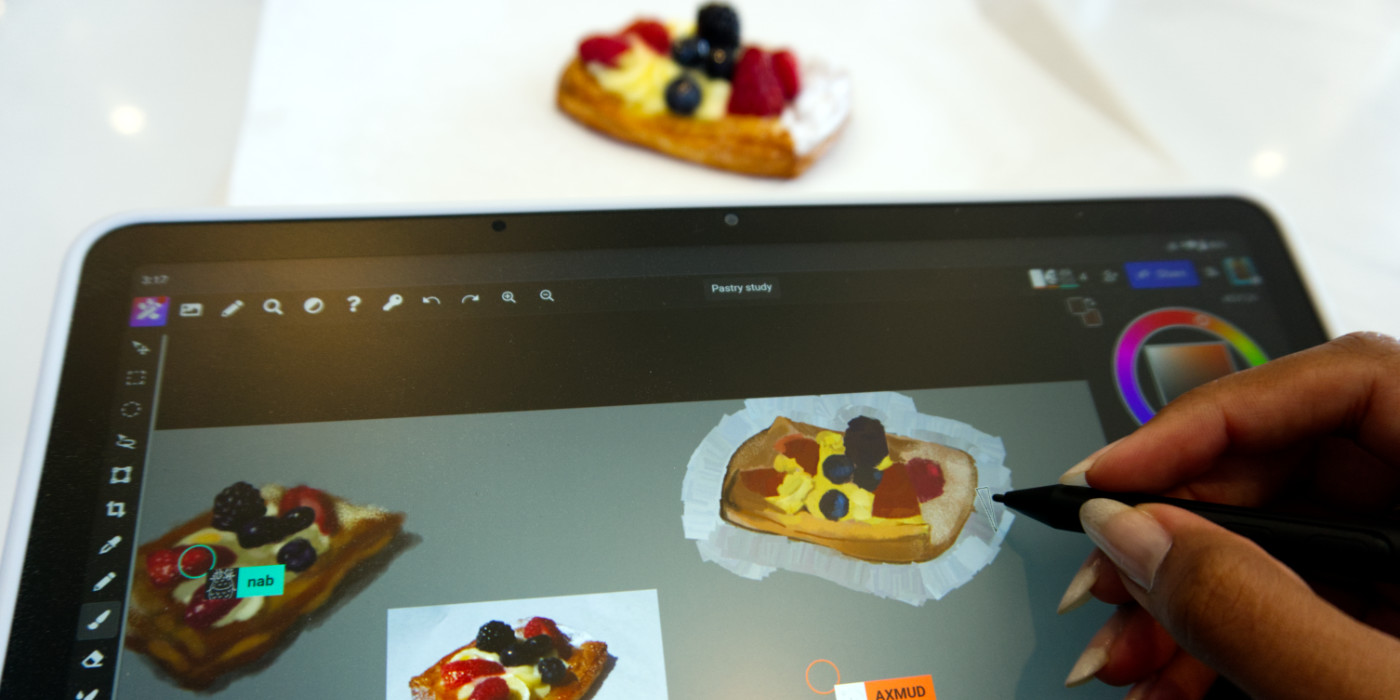
The built-in camera in the MovinkPad 11 makes it easy to snap references on the go – I’ve enjoyed using the references I took while I’m hanging out at a café to upload them to a Magma canvas for a quick art study session. It’s awesome to see the canvas evolving in real time and everyone’s different take on the same subject.
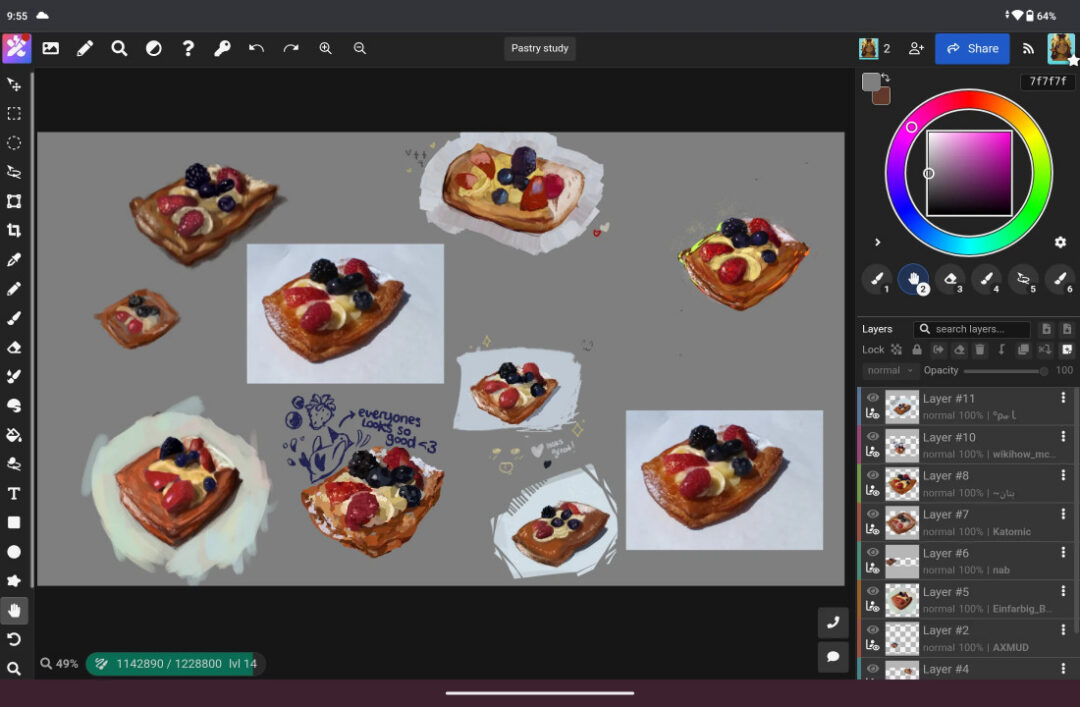
Magma has been my go-to drawing software for over two years, and does an amazing job balancing simplicity and more advanced features. Some of my favorite features are being able to extensively customize brushes, the liquify tool, and the blending brush tool. With the MovinkPad 11, Magma responds beautifully with pressure sensitivity right out of the gate. Magma also provides options for adjusting pressure curves to accommodate your drawing style.
There is no need to install an app to start drawing; Magma is browser-based. All you have to do is share a link with other people to connect and draw together! Everything you create with Magma will be stored in your Artdesk by default, with options to export the canvas as a PNG, JPEG, PSD file or separate layer images.
No matter what device you use, Magma is hassle free from file syncing, and all canvases will be available when you’re logged into your account. As an added bonus, there's a bundled free trial with the MovinkPad 11 that gives three months of Magma Blaze. If you’re limited on local storage space on your device, the Blaze plan gives you more Artdesk storage space so you can keep creating. To name just a few perks, Blaze members can also enjoy an ad-free experience, can save custom brush presets, and can use a reference window to import reference photos.
I have been trying to reduce friction around drawing for a long time, especially with my day job. Magma and the MovinkPad 11 together have been the perfect duo for me to keep creating whenever I go!
Just getting started in Magma, or curious about the software?
Magma is an online, browser-based digital drawing software service made specifically for collaborating with other artists on a shared digital canvas. And did you know? You get a free three-month trial of Magma Blaze bundled with a variety of Wacom products, including the Wacom MovinkPad 11 all-in-one drawing tablet!
Want to try out the software for the first time to join an Art Jam or create a Shared canvas? Check out this tutorial Sad_Banana created that walks step-by-step through the process! We've also published a couple tutorials by e1i_sky: Here's one for how to create a "soft effect" in your drawings in Magma, and here's another for how to easily do base colors in Magma.