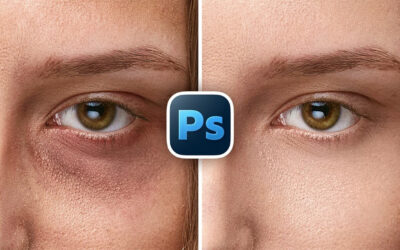


If you're learning photo editing in Adobe Photoshop, there's almost no better guide on YouTube than Unmesh Dinda, the host of venerable YouTube channel PiXimperfect. And if you're an absolute beginner – like, if this is your first time opening the software – he just started a new series just for you!
This is the third lesson in the series. Here are links to the previous lessons; if you're an absolute beginner, go back to the beginning first!
- Lesson 1: The Absolute Basics
- Lesson 2: Tools and the toolbar
- Lesson 3: Creative Tools Explained (you are here)
Photoshop for Complete Beginners, Lesson 3: Creative Tools Explained
This video is where Unmesh actually begins diving into some of the basic tips and techniques you'll be utilizing as you edit photos in Adobe Photoshop. It starts off with a cool blend mode trick, then goes in-depth on the Brush Tool: "from opacity versus flow and instant erasing with the tilde key, to smoothing for shaky hands and quick shortcuts for size and hardness."
You'll also learn some other tips and tricks like sticky shortcuts and how to cycle through tools. You'll also get into using the Remove Tool, the Patch Tool, the differences between the Lasso Tool and the Object Selection Tool, and when you might want to utilize some of Photoshop's built-in AI (and when you won't). You'll also learn about a more recent tool, the Select Subject tool, which can help with selecting complex shapes and edges like hair.
Unmesh has also provided a host of resources to help you follow along – download a detailed notes document and some project files by clicking here!
How to learn photo editing
There will be a bunch more lessons in the PiXimperfect absolute beginners' series, but if you're looking for more tips, tricks, and tutorials, check out our Learn Photo Editing page! We have tutorials from Unmesh, Colin Smith of PhotoshopCafé, and more!